
MEMBERSHIP
Become a member
Something prompted this. A provider who stopped answering. A server that finally died. A buyer's security questionnaire nobody in the building can answer. An acquisition that just doubled the number of sites you are responsible for. Or the quiet knowledge that one person in your plant "knows computers" and is retiring in March.
Whatever it was, the next step is a conversation, not a form. Tell us roughly what you run and what prompted the call, and we will tell you straight whether we are the right fit.
The path
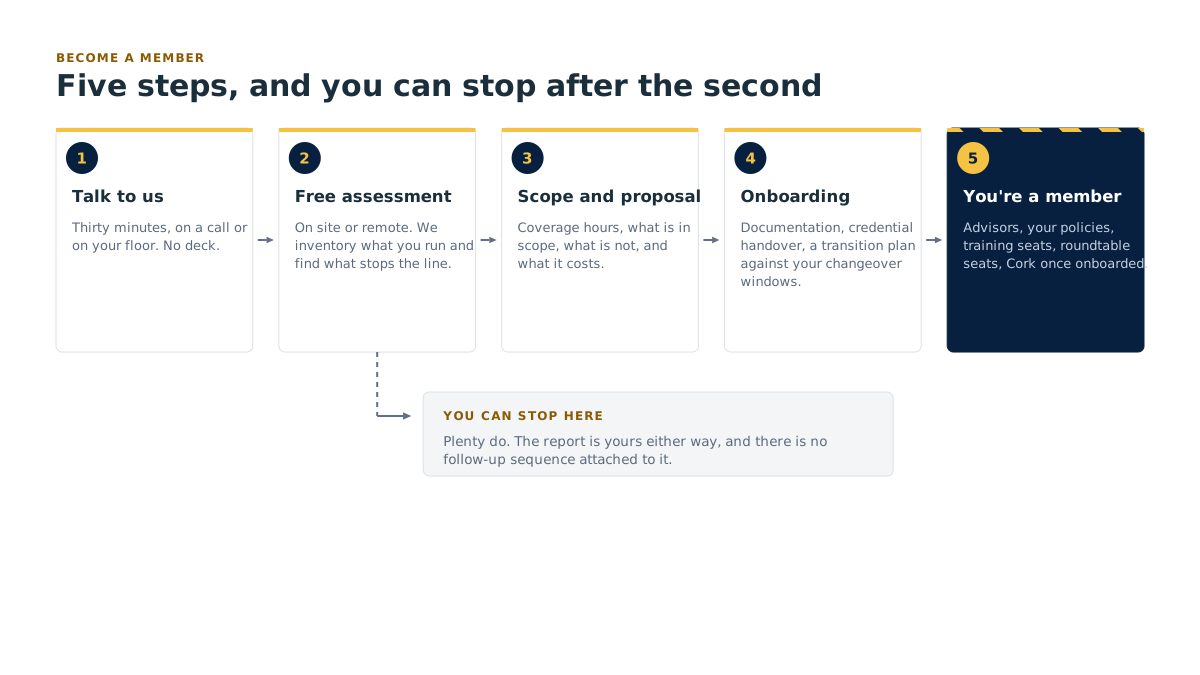
1. Talk to us
About thirty minutes, on a call or on your floor. No deck. We ask what you run, how many sites, how many shifts, what breaks most often and who currently answers when it does.
2. Take the free assessment
On site or remote. We inventory what you have, find the things that stop the line, and write it up. This is free and open to you whether or not you ever become a member, and the report is yours either way.
3. Scope and proposal
What we would run, what coverage hours look like, what is in scope and what is not, and what it costs. Scoped against your sites, your users and your coverage hours.
4. Onboarding
Documentation, credential handover, a transition plan that does not require your line to stop. We work to your changeover windows, not ours.
5. You're a member
Advisors on call, your policies written for your plant, training seats, roundtable seats, and Cork coverage, active from the point onboarding completes.
You can stop after step 2. Plenty do, and the report is still yours.
Tell us about your plant
This is the whole form. It takes about two minutes and the answers shape the first conversation, so it is not wasted typing. Nobody is added to a nurture sequence.
Four things are required: your company, your name, an email we can reply to, and what prompted you to get in touch. The rest is optional and only asked because the answers save a round trip.
What happens after you send it
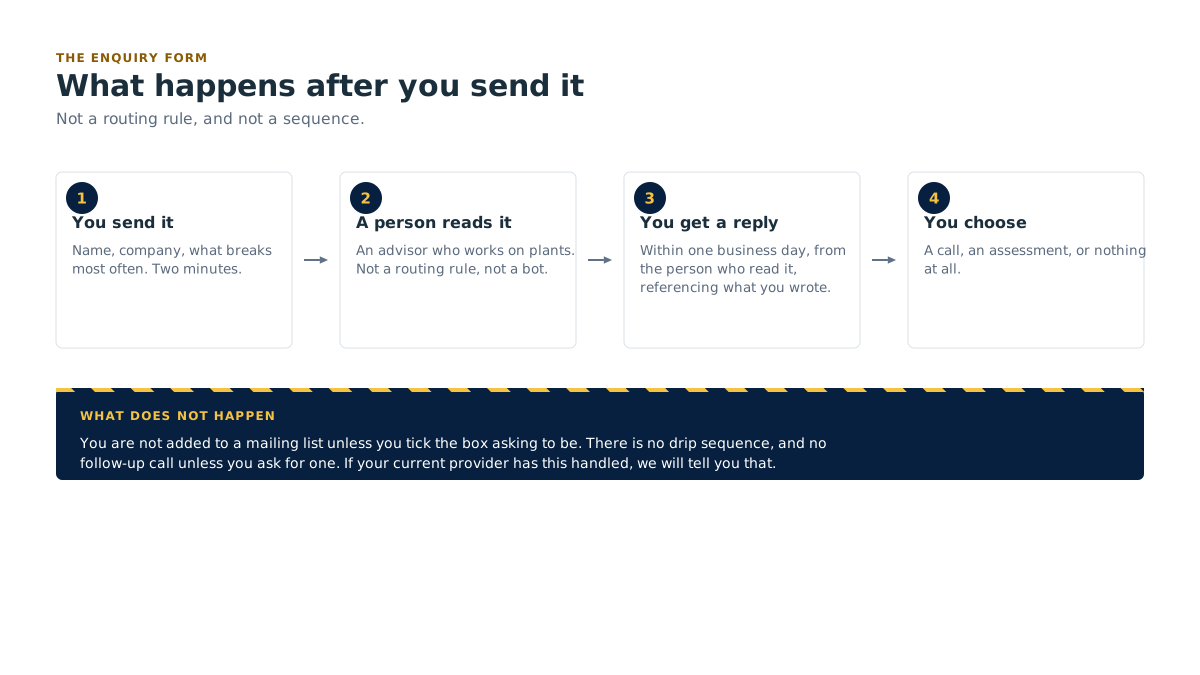
A person reads it
Not a routing rule. An advisor who works on plants.
You get a reply within one business day, from the person who read it, referencing what you actually wrote.
You choose the next step
A call, an assessment, or nothing at all. If the honest answer is that your current provider has this handled, we will tell you that.
You are not added to a mailing list unless you tick the box asking to be.

The free assessment
Book a free IT & security assessment
Open to anyone who asks, member or not. It costs us real hours and we absorb them, because it is how a manufacturer finds out what membership would actually cover. Here is exactly what it is.
What it covers
Your network and how the sites connect. Your backups, and whether a restore has actually been tested. Identity and access: who can get to what, who left in March and still has a login. Your servers, cloud and business software, including the ERP. Line-side and legacy systems: the 1998 machine, the HMI, the screen an operator runs the machine from, on an operating system nobody supports, the PC in the corner that can never be rebooted. Where you'd stand if a customer sent you a cyber questionnaire tomorrow.
On site or remote
Your choice. On site is better if you have plant-floor systems, multiple buildings or anything nobody can quite draw on a whiteboard. Remote is faster and works fine for an office-heavy operation with one site.
How long it takes
About half a day on site for a single plant, plus a short call beforehand and a walkthrough of the findings afterwards. Multi-site takes longer and we'll tell you how much before we start.
What you receive
A written report: what's solid, what's exposed, what breaks first, and a prioritised list with rough effort and cost against each item. Plain language. No product names dropped in as recommendations you didn't ask for.
No obligation, and you keep the report
Take it to your current provider and make them work through the list. Take it to your owner as a budget case. Take it to your insurer or your customer. You never have to speak to us again and the report is still yours.
Book your free assessment → form: company, name, work email, site location, on-site or remote, and a note of anything you already know is broken.
Not ready to move your IT?
That is a normal place to be, and there is a smaller door.
Create a free Community account
Work email and company. It gets you the generic, already-published shelf: sixteen unbranded IT policy templates, the posters, the toolbox talks, the articles, the newsletter, the recorded webinars, the self-serve tools and the full library catalogue so you can see exactly what is in there.
What it does not get you
Advisor time, customization, training seats, roundtable seats or the assessment scoped to your plant. A Community account is not a membership and we will not call it one. It gets you the shelf. Making any of it yours is what membership does.
The free assessment, though, is open to you either way. It is not something a Community account unlocks, it is open to anyone who asks.
Fair questions
Is this a sales call in disguise?
The first conversation is a conversation. We ask what you run and what broke. If we are not the right fit we say so, and if your current provider has it handled we say that too. What we will not do is book you into a "discovery call" and read you a deck.
We already have an IT provider.
Good, keep them. The assessment is genuinely useful in that situation, because it is a second opinion from someone with no access to your contract and no stake in defending past decisions. Hand them the findings. If they fix everything on the list, we have done you a favour and cost you nothing.
What does membership cost?
It is scoped to your plant, against your sites, your users and your coverage hours, and you get the number in the proposal at step 3. We are not going to publish a figure that turns out to be wrong for your plant, and we are not going to make you sit through two meetings before you hear one.
How long is the agreement?
Can we start with one site?
Yes. Several members started with the site that hurt most and added the rest at the next review.
What this means for your plant
What this means for your plant The next step is a thirty-minute conversation, not a contract. The assessment is free and open to you whether or not you become a member, and the report is yours either way. If you are not ready to move your IT, a free Community account gets you the generic shelf.
Start the conversation → /membership/join/#enquiry
Partner Access
Belong to a partner organization?
Members of a listed partner organization get the complete generic library and a standing briefing invitation, free. Enter the code your association gave you. Partner Access is a free account, not a membership.
Related
- Membership: the overview, and the four states
- The membership model, why we call our service a membership
- What membership includes, the full list
- Cork coverage, the warranty that comes with membership
- Services, the seven services membership covers
- Contact, if you would rather just phone