
Draft: this page is held for legal review and is excluded from search indexing
RESOURCE LIBRARY
The document set your IT provider never gave you
Here is the trade, stated plainly: the generic version is free. The version with your plant's name on it, matched to your sites and your systems, is what membership does.
Sixty-five items, and you can see every one of them below with its description before you decide anything.
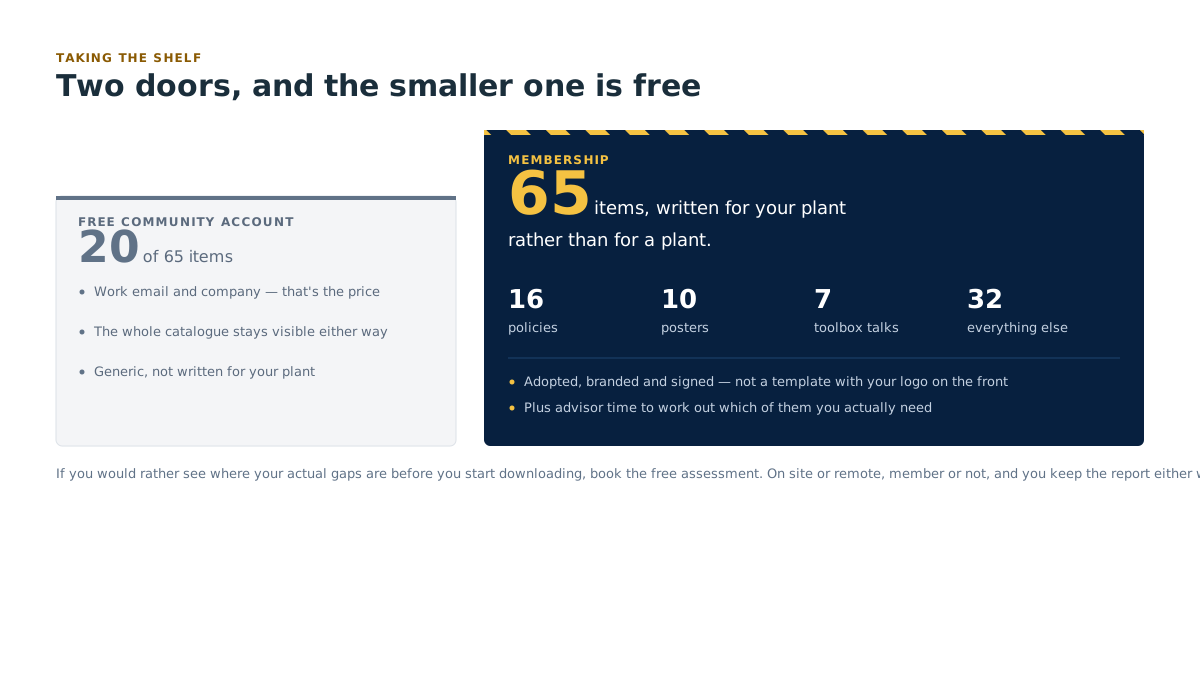
Twenty download on a free Community account, including all ten posters and the downtime cost calculator. If you belong to a listed partner organization, Partner Access gets you the complete generic shelf instead of a selection, free, plus the 16-policy pack as a welcome gift. The versions written for your own sites and systems come with membership.
This is the material a real in-house IT department would have written for you over about three years: sixteen adoptable IT policies, posters sized for the noticeboard, five-minute toolbox talks a supervisor can read at shift start, checklists, quick-reference cards, guidebooks, decks, webinars and short videos.
All of it editable. All of it unbranded where it needs to be. Put your own logo on it, hand it to your auditor, and don't tell them where you got it. That's what it's for.

Browse by topic
Eight topic areas. Every item in the library sits in exactly one.
| Topic | What's in it |
|---|---|
| Policies & governance | The written rules. The sixteen-policy pack, registers, and the documents an auditor asks to see first. |
| People & awareness | Posters, toolbox talks, training material, onboarding and departure. The human side. |
| Access & identity | Who gets in, to what, on whose account. Passwords, MFA (a second check beyond the password), remote access, contractors, shared terminals. |
| Plant floor & line-side systems | The HMI screen, PLC, SCADA, the MES that tracks production, the 1998 machine. Segmentation, legacy risk, vendor remote access. |
| Backup, downtime & continuity | Backups you've actually tested, recovery order, downtime cost, what runs on paper when nothing runs on screen. |
| Audits, questionnaires & compliance | Customer questionnaires, insurance renewals, evidence packages, NIST and ISO readiness support. |
| Buying & vendor management | Specifying hardware that survives a washdown, vendor registers, contract questions, integrator access. |
| AI & new technology | Practical rules for generative tools on site, and what's worth the money. |
Browse by format
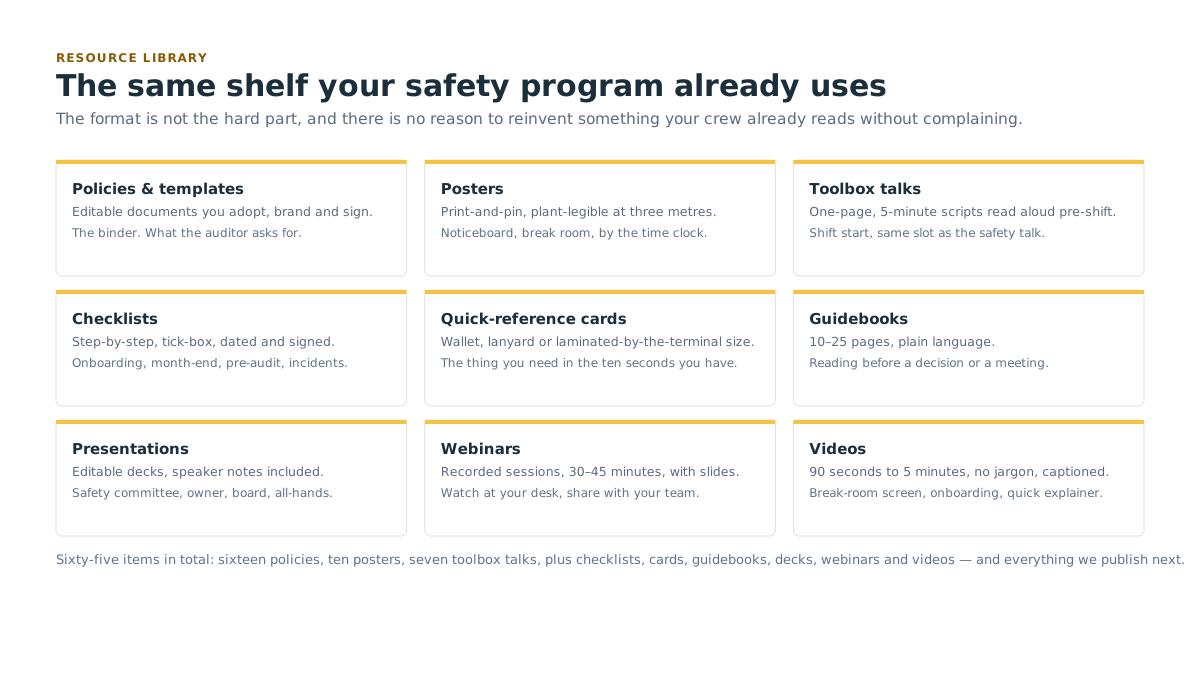
You already know this shelf. It's the same one your safety program uses: because the format is not the hard part, and there's no reason to reinvent something your crew already reads without complaining.
| Format | What it is | Typical use |
|---|---|---|
| Policies & templates | Editable documents you adopt, brand and sign. | The binder. What the auditor asks for. |
| Posters | Print-and-pin, plant-legible at three metres. | Noticeboard, break room, by the time clock. |
| Toolbox talks | One-page, 5-minute scripts read aloud pre-shift. | Shift start, same slot as the safety talk. |
| Checklists | Step-by-step, tick-box, dated and signed. | Onboarding, month-end, pre-audit, incidents. |
| Quick-reference cards | Wallet, lanyard or laminated-by-the-terminal size. | The thing you need in the ten seconds you have. |
| Guidebooks | 10–25 pages, plain language, for the person who owns IT by accident. | Reading before a decision or a meeting. |
| Presentations | Editable decks, speaker notes included. | Safety committee, owner, board, all-hands. |
| Webinars | Recorded sessions, 30–45 minutes, with the slides. | Watch at your desk, share with your team. |
| Videos | 90 seconds to 5 minutes, no jargon, captioned. | Break-room screen, onboarding, quick explainer. |
The IT policy pack
Sixteen policies. One pack. Written for a plant, not an office
This is the single most-used thing we publish. In KTI's assessment work, most plants have either no written IT policies at all, or one acceptable use policy that a former employee copied off the internet in 2014 and nobody has signed since.
The pack is a complete, adoptable set. Every document is editable, unbranded, and written so that a supervisor can read it without a translator. Each one includes a short "why this exists" preamble you can leave in or strip out, a signature block, and a review date field.
Adopt the whole pack in an afternoon
Or take four of them and leave the rest. It's yours either way.
| # | Policy | Format | Category | Access | Est. time |
|---|---|---|---|---|---|
| 1 | Acceptable use policy | Policies & templates | Policies & governance | Free account | 20 min to adapt |
| 2 | Password & MFA standard | Policies & templates | Access & identity | Free account | 20 min to adapt |
| 3 | Remote access policy | Policies & templates | Access & identity | With membership | 25 min to adapt |
| 4 | Mobile device policy | Policies & templates | Access & identity | With membership | 20 min to adapt |
| 5 | Removable media policy | Policies & templates | Access & identity | With membership | 15 min to adapt |
| 6 | Third-party & vendor access policy | Policies & templates | Buying & vendor management | With membership | 30 min to adapt |
| 7 | Patch & update management policy | Policies & templates | Policies & governance | With membership | 25 min to adapt |
| 8 | Backup & restore policy | Policies & templates | Backup, downtime & continuity | With membership | 30 min to adapt |
| 9 | Data classification & retention policy | Policies & templates | Policies & governance | With membership | 35 min to adapt |
| 10 | Physical & site security policy | Policies & templates | Policies & governance | With membership | 25 min to adapt |
| 11 | Email & phishing reporting policy | Policies & templates | People & awareness | With membership | 15 min to adapt |
| 12 | Change management policy | Policies & templates | Policies & governance | With membership | 30 min to adapt |
| 13 | User onboarding & offboarding policy | Policies & templates | People & awareness | With membership | 25 min to adapt |
| 14 | Incident response policy & plan | Policies & templates | Backup, downtime & continuity | With membership | 45 min to adapt |
| 15 | Business continuity policy | Policies & templates | Backup, downtime & continuity | With membership | 45 min to adapt |
| 16 | AI & generative tool use policy | Policies & templates | AI & new technology | With membership | 25 min to adapt |
A word about. These are templates, not legal advice. Employment law, privacy law and works-council obligations differ across Canada, the United States, the United Kingdom and Germany, and a monitoring or device clause that is routine in one is not in another. Have your own counsel read anything you intend to make binding on staff before you circulate it. We say this on every template, not as a disclaimer, but because we've watched a plant get it wrong.
Get the policy pack → /membership/join/

Posters
Designed to be printed on the plant copier and pinned next to the safety posters. Same visual language as safety signage: one message, heavy type, readable at three metres, one colour that means something. A3 and A4 (plus US Tabloid and Letter), colour and toner-friendly mono versions, with a blank field where you overprint your own site's phone number.
| # | Poster title | What it shows | Format | Category | Access | Est. time |
|---|---|---|---|---|---|---|
| 17 | Stop. Check the sender. | An email header blown up to fill the page. The friendly display name on top; the real sending address underneath, in red. One instruction: read the second line. | Posters | People & awareness | Free account | Print & pin |
| 18 | This USB is not yours. | A USB stick lying on a workbench with a hand reaching for it, struck through. Sub-line: "Found one? Hand it to your supervisor. Don't plug it in." | Posters | Access & identity | Free account | Print & pin |
| 19 | If the line stops, call this number first. | A large amber box where you overprint your own escalation number, with the three things to say when you call: which line, what you saw on screen, what time it started. | Posters | Backup, downtime & continuity | Free account | Print & pin |
| 20 | No badge, no escort, no entry. | A side door propped open with a pallet, someone following a badged employee through it. Sub-line: "Tailgating is a security issue, not a rudeness issue." | Posters | Access & identity | Free account | Print & pin |
| 21 | One password, one account. Never shared. | Two people at one terminal, one login. Sub-line: "If the log can't say who did it, the log is worthless." | Posters | Access & identity | Free account | Print & pin |
| 22 | Nobody from IT will ever ask for your code. | A phone screen showing a six-digit MFA code, with a crossed-out speech bubble asking for it. Sub-line: "Not us. Not your boss. Not ever." | Posters | Access & identity | Free account | Print & pin |
| 23 | Report it like a near-miss. | The familiar near-miss reporting form, redrawn for a suspicious email. Sub-line: "Nobody gets in trouble for reporting. Ever." | Posters | People & awareness | Free account | Print & pin |
| 24 | Slow down. The rush is the tell. | A clock face and a message reading "URGENT, before end of shift." Sub-line: "Real requests survive a phone call." | Posters | People & awareness | Free account | Print & pin |
| 25 | The invoice that changed its bank details. | A supplier invoice with the account number circled and a second, different account number beside it. Aimed at the office noticeboard, not the floor. | Posters | Buying & vendor management | Free account | Print & pin |
| 26 | Lock it when you leave it. | A shared floor terminal left logged in, an empty stool. Sub-line: "Two keys. Windows and L. Two seconds." | Posters | Access & identity | Free account | Print & pin |
Toolbox talks
Five minutes, read aloud, pre-shift. One page. Same slot as the safety talk, same tone, same expectation that people ask questions and nobody gets embarrassed.
This is a direct structural borrow from how safety training already runs on your floor, and we're not pretending otherwise. It works, your supervisors already know how to deliver it, and it costs you five minutes of a shift you're already standing in.
Each talk includes the script, two discussion questions, and a sign-off sheet you can file the way you file the safety talk record, which makes it audit evidence as well as training.
| # | Toolbox talk | What it covers | Format | Category | Access | Est. time |
|---|---|---|---|---|---|---|
| 27 | The purchase order that wasn't | A supervisor walks the crew through a real-shaped scenario: a PO attachment arrives from a name that looks like a customer, a shipping clerk opens it, and the office loses access to the order system for two days. The script stops twice to ask the crew what they'd have noticed. Ends on the two checks that would have caught it: the sending address, and a phone call to a number you already had. | Toolbox talks | People & awareness | Free account | 5 min |
| 28 | The USB on the loading dock | Why a found USB stick is not a free USB stick, told without scare tactics. Covers what a device does when it's plugged into a shared floor terminal, why "I just wanted to see whose it was" is the most common reason people plug them in, and what to do instead. Includes the plant's own removable media rule as a fill-in blank so the talk matches your actual policy. | Toolbox talks | Access & identity | With membership | 5 min |
| 29 | When the screen says your files are encrypted | The first ten minutes. Who to call, what not to do, why turning everything off is sometimes wrong, and why "I didn't want to stop the line" is how a bad morning turns into a bad fortnight. Written so a supervisor can deliver it without knowing what ransomware is. | Toolbox talks | Backup, downtime & continuity | With membership | 5 min |
| 30 | Your MFA prompt at 2 a.m. | What it means when your phone asks you to approve a login you didn't start, including the version where it asks eleven times and you approve one just to make it stop. Covers the reporting step, and the promise that reporting it is not an admission of anything. | Toolbox talks | Access & identity | With membership | 5 min |
| 31 | The contractor who needs the WiFi password | For maintenance crews and anyone who escorts an outside technician. Why the machine vendor gets a specific access, not the general one; why the password on the sticky note behind the monitor is a problem; and how to say no to a contractor politely while still getting the machine fixed today. | Toolbox talks | Plant floor & line-side systems | With membership | 5 min |
| 32 | Shared terminals and whose name is on it | For lines that run one login across a whole shift. Explains, without blame, why the shared account makes it impossible to answer an auditor's question or clear someone of suspicion, what the alternatives look like in practice, and what changes for the crew if the plant moves to badge or PIN sign-on. | Toolbox talks | Access & identity | With membership | 5 min |
| 33 | The supplier who changed their bank details | Aimed at AP, purchasing and anyone who can move money, but worth running with the whole office. Walks through how the request arrives, why it always lands near month-end, and the one control that stops it: call the number you already had on file, never the one in the email. | Toolbox talks | Buying & vendor management | With membership | 5 min |

Manufacturing-specific assets
This is the part a general IT provider's resource page doesn't have, because a general IT provider has never had to think about what happens to a batch record when the MES goes down mid-run.
| # | Asset | What it does | Format | Category | Access | Est. time |
|---|---|---|---|---|---|---|
| 34 | HMI & SCADA access control checklist | Walks every control interface on the floor: who can log in, on what account, from where, and what happens when the integrator who set it up stops answering the phone. | Checklists | Plant floor & line-side systems | With membership | 2–3 hrs to complete |
| 35 | Legacy machine risk register | A register for the machines you can't patch and can't replace. Records the machine, the operating system, the vendor status, what it's connected to, what it stops if it fails, and the compensating control you put around it. | Policies & templates | Plant floor & line-side systems | With membership | 3 hrs to complete |
| 36 | Shift-handover IT escalation card | Laminated, hangs by the shift log. Who to call at 03:00 when the system that isn't a machine stops working, what to write down before you call, and the difference between "call now" and "note it for days". | Quick-reference cards | Backup, downtime & continuity | Free account | Print & post |
| 37 | Production downtime cost calculator | A spreadsheet that turns downtime into a number your owner will react to: units per hour, contribution per unit, labour standing idle, expedited freight, and the shipping window you miss. Use it to justify a backup budget in language nobody argues with. | Policies & templates | Backup, downtime & continuity | Free account | 45 min |
| 38 | Supplier cyber-questionnaire response kit | The forty-odd questions that keep appearing on customer questionnaires, what each one is actually asking, and a defensible answer for each: including how to write "no, and here's our plan" without losing the contract. | Guidebooks | Audits, questionnaires & compliance | With membership | 2 hrs |
| 39 | Plant network segmentation starter map | An editable diagram plus a written method: separating office, plant floor, guest and vendor traffic in a plant that was wired one machine at a time over 25 years. Includes the order to do it in so you never take the line down. | Guidebooks | Plant floor & line-side systems | With membership | 90 min read |
| 40 | Ransomware tabletop: "Line 3 is down" | A full facilitated scenario set on a production line, not in an office. Six injects over 90 minutes, roles for plant manager, maintenance, quality, AP and the owner, a facilitator script, and an after-action template you can file as evidence. | Presentations | Backup, downtime & continuity | With membership | 90 min exercise |
| 41 | ERP / MES cutover readiness checklist | What has to be true before you cut over, what runs on paper during the window, how you reconcile lots afterwards, and the go/no-go call criteria agreed before anyone is tired. | Checklists | Plant floor & line-side systems | With membership | 2 hrs |
| 42 | Cold-storage & washdown hardware spec sheet | What to specify when the hardware lives in a cooler, a wet area or a dust zone. Enclosure ratings, screen types that survive gloves, mounting, cable entry, and the printers that actually work at −20°C. | Guidebooks | Buying & vendor management | With membership | 30 min read |
| 43 | Contractor & integrator access log | A signed, dated record of who came in, what system they touched, what access they were given, and when it was removed. The single easiest piece of evidence to produce for a customer audit, and the one nobody has. | Policies & templates | Buying & vendor management | With membership | 15 min setup |
| 44 | Batch record & traceability continuity plan | Product keeps moving when the system is down. This sets out what gets recorded on paper, by whom, in what format, and how it gets back into the system afterwards without breaking your lot traceability. | Policies & templates | Backup, downtime & continuity | Member of Both | 3 hrs to complete |
| 45 | Machine vendor remote-access agreement checklist | The clauses to insist on before an equipment vendor gets standing remote access to a line: named users, time-boxed sessions, logging, notification, and removal on contract end. | Checklists | Buying & vendor management | Member of Both | 45 min |
Everything else in the library
Checklists, cards, guidebooks, decks, webinars and videos across all eight topics.
| # | Title | Format | Category | Access | Est. time |
|---|---|---|---|---|---|
| 46 | New-hire IT access checklist | Checklists | People & awareness | Free account | 15 min |
| 47 | Same-day departure & access removal checklist | Checklists | People & awareness | With membership | 15 min |
| 48 | Monthly backup verification checklist | Checklists | Backup, downtime & continuity | With membership | 30 min/month |
| 49 | The first hour of an incident: checklist | Checklists | Backup, downtime & continuity | Free account | Print & post |
| 50 | Pre-audit evidence checklist | Checklists | Audits, questionnaires & compliance | Member of Both | 1 hr |
| 51 | "Is this email real?" card | Quick-reference cards | People & awareness | Free account | 2 min |
| 52 | MFA setup card, office and floor versions | Quick-reference cards | Access & identity | With membership | 5 min |
| 53 | Reporting a suspicious message in 3 steps | Quick-reference cards | People & awareness | With membership | 2 min |
| 54 | AI tools on site: what's allowed, one card | Quick-reference cards | AI & new technology | With membership | 2 min |
| 55 | The plant manager's guide to cyber insurance questionnaires | Guidebooks | Audits, questionnaires & compliance | Member of Both | 40 min read |
| 56 | Backup and recovery for manufacturers, in plain language | Guidebooks | Backup, downtime & continuity | With membership | 35 min read |
| 57 | Buying IT for a plant: specifying kit that survives the floor | Guidebooks | Buying & vendor management | With membership | 30 min read |
| 58 | IT risk in 12 slides, the deck for your owner | Presentations | Policies & governance | With membership | 20 min to present |
| 59 | Safety committee IT briefing deck | Presentations | People & awareness | Member of Both | 25 min to present |
| 60 | Webinar: the first hour of a ransomware event | Webinars | Backup, downtime & continuity | Free account | 45 min |
| 61 | Webinar: answering a customer questionnaire without lying | Webinars | Audits, questionnaires & compliance | With membership | 40 min |
| 62 | Webinar: what your insurer is really asking at renewal | Webinars | Audits, questionnaires & compliance | Member of Both | 40 min |
| 63 | Video: why the ERP suddenly asks for a code | Videos | Access & identity | Free account | 90 sec |
| 64 | Video: how a fake invoice actually works | Videos | Buying & vendor management | With membership | 3 min |
| 65 | Video: what happens in the first 10 minutes of a restore | Videos | Backup, downtime & continuity | Member of Both | 4 min |
Finding what you need
Search field prompt: Search the library: try "USB", "questionnaire", "backup"
Filter panel labels:
- Topic: eight checkboxes, the categories in Section 2
- Format: nine checkboxes, the formats in Section 3
- Access: Community · Partner Access · Member · Member of Both
- Time: Under 5 minutes · 5–30 minutes · Half a day · A full project
- Who it's for: Plant floor · Maintenance & engineering · Office & finance · Leadership
Sort options: Most used · Newest first · Quickest first · A–Z · Free access first
Applied-filter chip: Posters ×, with Clear all filters
Results count line: Showing 12 of 65 resources: 4 download on a free account, 8 come with membership.
Empty state (no results):
Nothing matches that yet. Try fewer filters, or search a plainer word, "backup" finds more than "business continuity." Still nothing? Tell us what you were looking for and we'll either point you at it or write it. Request a resource →
Empty state (a filter combination we haven't built for):
We haven't made that one yet. That's genuinely useful to know. Members set what we build next, send us the gap and it goes on the list. Request a resource →
Community card state (open):
Downloads on a free account Stop. Check the sender. · Posters · Print and pin Generic version, unbranded and editable. Work email and company, and it's yours. Create a free account → · Already have one? Sign in
Partner Access card state:
Free with Partner Access Remote access policy · Policies & templates · 25 min to adapt The generic version, unbranded and editable. Free to members of a listed partner organization: enter your association's code and the whole shelf unlocks. Claim Partner Access → · Already have it? Sign in
Member card state:
Comes with membership Removable media policy · Policies & templates · 15 min to adapt Members get this written for their own sites and systems, not as a template to fill in. See what membership includes → · Already a member? Sign in
Locked card state (Member of Both):
🔒 Member of Both Batch record & traceability continuity plan · 3 hrs to complete Included for members who also belong to one of our partner organizations. Already in one? Add it to your profile and it's there. Add your association → · See what Member of Both includes →
Download confirmation:
Downloaded. It's yours. Edit it, brand it, adopt it, no attribution needed and no strings. If it's useful, the thing that helps us most is telling us so. Was this useful? Yes / No / Tell us why
What "made yours" actually means
This is the part that is hard to show in a feature list, so here it is concretely.
Every policy in the library ships generic, because a generic policy is genuinely useful and costs us nothing to hand you. Here is a clause from the remote access policy as it downloads on a Community account:
4.2, Third-party remote access. Third-party access to systems must be approved in advance, limited to named individuals, time-boxed to the duration of the work, logged, and revoked on completion.
True, sensible, and adoptable. Now here is the same clause after an advisor has spent an hour with your plant:
4.2, Third-party remote access. Access for the Krones filler and the Videojet coder is granted through the jump host only, to named engineers listed in Appendix C, in windows agreed with the shift supervisor and never during a changeover. Sessions are recorded. Access is revoked at the end of the work order, and the maintenance planner confirms revocation at the Monday review. The Ishida checkweigher vendor has standing access under a separate agreement, reviewed each April.
The first one passes an audit. The second one changes what happens on your floor on a Tuesday.
The difference is not the document. It is the hour somebody spent on your plant
That hour is what membership is, and it is the reason the generic version can be free without the free version being the same thing.
The same applies across the shelf: posters printed with your own escalation number rather than a blank box, toolbox talks that name your actual lines, checklists pre-filled from your assessment, a legacy machine register with your machines already in it.
What we ask in return
Nothing, in the strict sense. But two things help.
Tell us what's missing
Every gap you report goes on the build list, and member-requested material gets written before anything we thought of internally. A question somebody actually has beats a question we invented.
Tell us when it worked
If the policy pack got you through a customer audit, or a poster stopped somebody plugging in a USB stick, say so. That's how we know which of these to keep printing and which to bin.
Take the shelf
Sixteen policies. Ten posters. Seven toolbox talks. Checklists, cards, guidebooks, decks, webinars and videos, plus everything we publish next.
Twenty of them download on a free Community account
Work email and company, and the whole catalogue stays visible either way.
All sixty-five come with membership, written for your plant rather than for a plant.
If you would rather see where your actual gaps are before you start downloading, book the free assessment. On site or remote, member or not, and you keep the report either way.
What this means for your plant
What this means for your plant The whole catalogue is visible before you decide anything, and twenty items download on a free account. Editable and unbranded, so you can hand them to an auditor as your own. Membership is what turns a generic policy into one that describes your plant.
Become a member → /membership/join/
Related
- Become a member: the path, and the first conversation
- Book a free assessment
- Member benefits, where the library sits in the value stack
- Training, awareness training and phishing simulation
- NIST readiness, the evidence package the checklists feed
- Events · News · Roundtables
- Legacy & critical-system continuity, for the machines in the risk register
- Business continuity & disaster recovery, behind the backup material
- Cyber resilience · Managed IT & helpdesk · Services
- Cork coverage · Partner organizations